FINANCIAL STATEMENT MASTERS
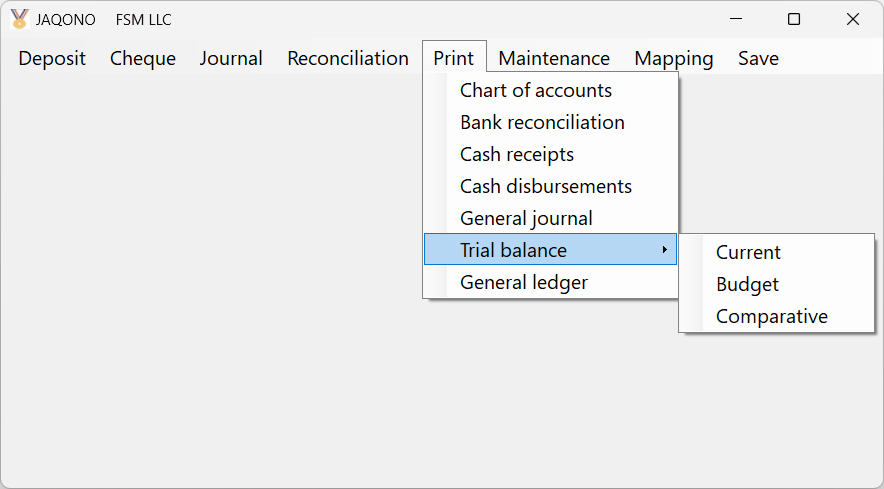
The Cash Receipts/Disbursements General Ledger software JAQONO:
- imports a trial balance to set the Chart of Accounts and generate the opening balances journal entry 
- imports bank transactions
- manages several bank accounts and credit cards
- makes it easier to reconcile bank statements
- posts all transactions in the general ledger automatically
- produces a trial balance and a general ledger with an unlimited number of transactions and accounts
- allows to drill down from the trial balance to the accounts detail and to the transactions detail
- exports reports to Excel
- print previews reports
Simple, flexible, easy to learn, and easy to use,
it makes computerized bookkeeping accessible to anyone!
. Easy access and understanding thanks to the menu bar
. Minimal text typing required
. No preset periods. Operates by date ranges
. Allows charging a transaction to more than one account
. Records and process postdated checks (to ensure numerical sequence)
. Budget feature (14 budgets: 12 months or 13x4 weeks periods, plus 1 annual)
. Transaction archiving procedure
. Automatic closing entry
. Allows accrual accounting with the opening of registers for accounts receivable and accounts payable
The perfect tool for:
Accountants
Medium and large-size businesses wishing to simplify the administration of specific accounts, special funds
such as employees social fund, and so on.
Home workers and Small businesses wishing to automate their bookkeeping.
Individuals and Families wishing to keep track of their personal affairs.
Do Accounting With Bank Mapping
And No Typing
[ International patent pending ]
Less bookkeeping. More accounting.
The JAQONO offers you different methods to import bank transactions and do accounting without any typing.
Method number 1
(click and watch this video)
Method number 1 works with any bank accounts.
See how
For those who prefer to add accounts in the transactions file, just need to use the Bank Mapping feature by doing the
set up and import of Method number 2c
Method number 2
(click and watch this 1 minute video)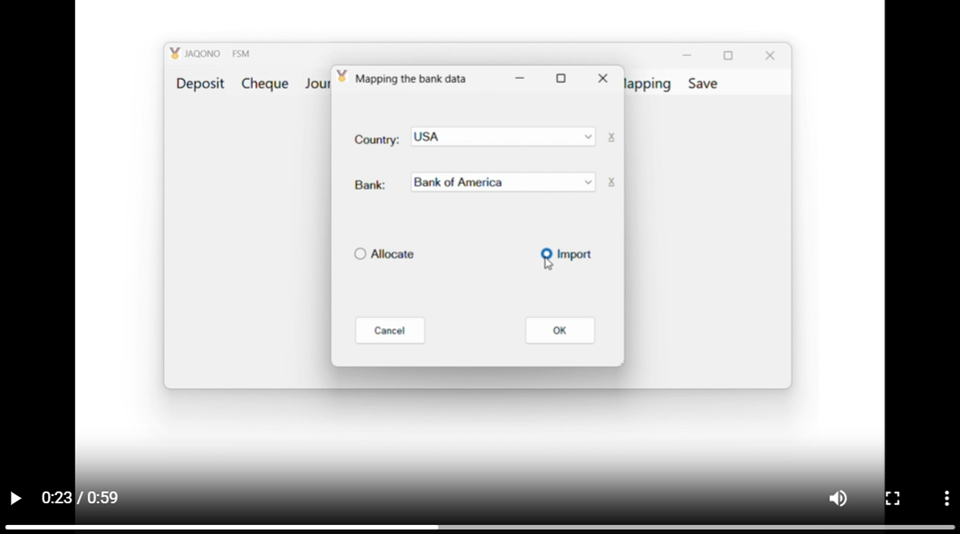
Methods 2a, 2b, 2c use the Bank Mapping feature.
Let the Bank specify the allocation account to each transaction for you!
DO ACCOUNTING DOING (almost) NOTHING!
Method number 2a
Works with any bank account allowing transaction categorization.
Uses the Bank Mapping feature with the Non-Automated Mapping Allocate.
Example: Wells Fargo
Method number 2b
Works with most bank accounts assigning a category to transactions from a one-level dropdown menu.
Uses the Bank Mapping feature with the Automated Mapping Allocate.
Example: Bank of America
Method number 2c

System requirements:
a computer running Microsoft Windows XP or later; .NET 4.0
Copyright © 2026. Financial Statement Masters. All rights reserved.