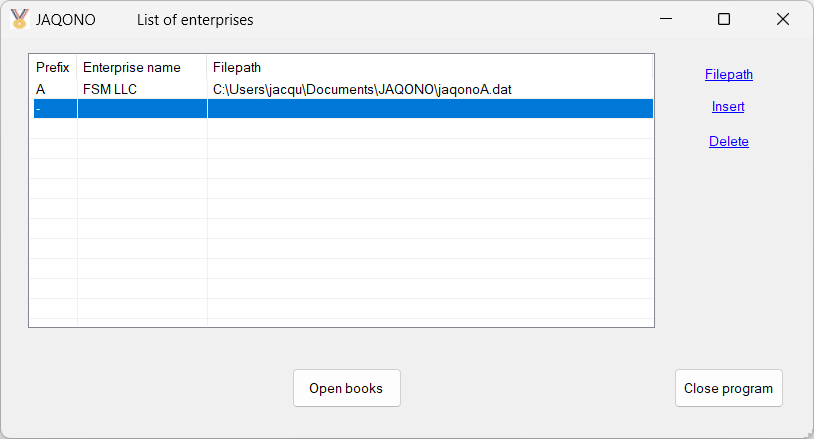
Use the mouse or the display keys to browse the list of enterprises.
Inserting an enterprise
| Click Insert to insert a new enterprise. A new line is inserted. |
| Type in the data for Enterprise name and specify the Filepath. |
Prefix:
| This field is managed by the software. |
Enterprise name:
| Type in the enterprise name. |
| The enterprise name is used to record the enterprise name that will be head all reports. |
| To edit the enterprise name, double-click it. |
Filepath:
| Click 'Filepath', or double-click the Filepath field, to open the standard Windows Save As dialog. |
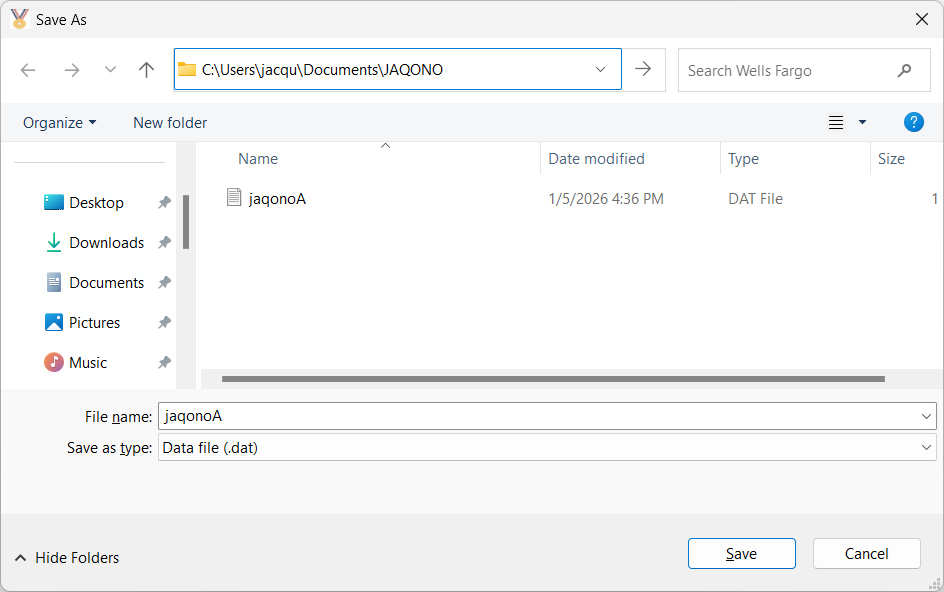 |
| Select the folder where to store the file and click Save. |
Opening the books of an enterprise
| Double-click the prefix or select the enterprise, with a single click or by moving the cursor with the display keys, and click Open books button. |
NOTES:
| The file jaqonolist contains the data of the list of enterprises and is stored in the same folder as the program. |
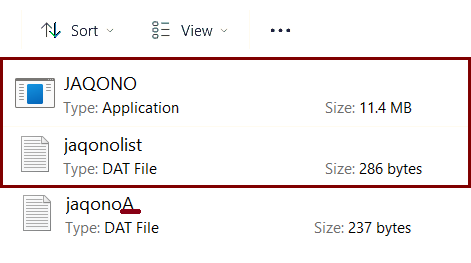
| The file jaqonoA, which filename ends with the auto-generated prefix for the enterprise, contains the accounting data. |
| This file is stored in the folder according to the filepath specified in the list of enterprises. |
Deleting an enterprise
| Move the cursor (mouse or display keys) to the line to be deleted. |
| Click Delete to delete the line. |
| The enterprise is removed from the list and its data is longer accessible. |
| Note: the prefix used for the enterprise will not be used for new enterprises. |
Correcting an enterprise
| Double-click the field you want to edit. |